Every growing business eventually asks the same question: "Should we move to the cloud — or are we jumping in too early?"
If you use Business Central, Tally or any on-premise ERP with file servers and email, you probably know about Azure cloud migration. Vendors, consultants or competitors who have "already moved" might have mentioned it. But hearing about it and actually being ready for it are two very different things.
This Azure migration checklist is made for Indian SMBs and mid-market companies. It’s not meant for global enterprises with big IT budgets. At Rivira Systems, we assist businesses as a Business Central implementation partner and an Azure migration partner. This guide shows what we see in real situations, not just a standard template. By the end of this guide, you'll understand which of the 7 signs fit your business. You'll see what a typical Azure migration services engagement looks like. Plus, you'll learn how to dodge the costly mistakes companies make by migrating too early or too late.
Why Azure Cloud Migration Matters for Growing Businesses
Cloud migration isn't a trend anymore — it's infrastructure math. Businesses face rising server maintenance costs. They also manage distributed teams in many cities. GST compliance adds complexity across states. Plus, growing data volumes strain on-premises hardware.
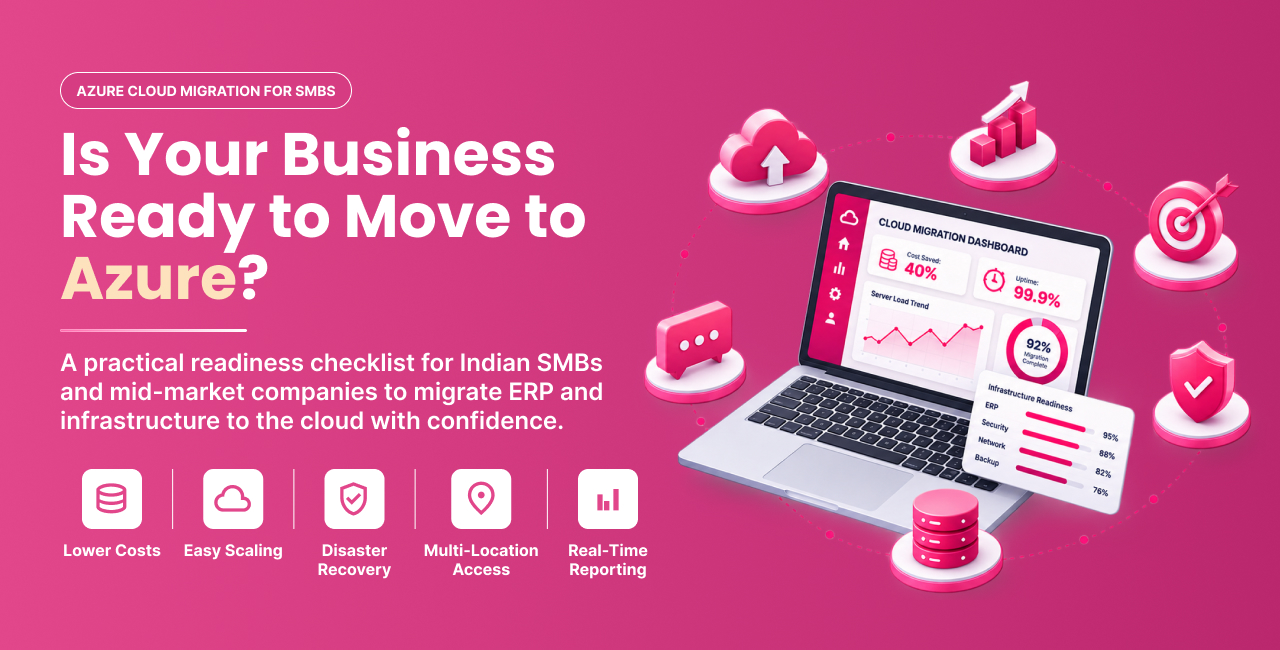
Microsoft Azure gives businesses a way to:
- Cut the capital expense of buying and replacing physical servers every 4–5 years
- Support remote and hybrid teams securely, without a VPN headache
- Scale storage and compute up or down as the business grows or slows
- Improve disaster recovery so a single hardware failure doesn't stop operations
- Run modern reporting and analytics tools like Power BI without local server strain
But here’s the key point many vendors miss: not every business is ready for Azure cloud migration right now. Migrating without checking readiness can often cost more than staying on-premise a bit longer. That's exactly what this checklist helps you figure out.
Sign #1: Your ERP or Core Business System Is Slowing You Down
If your Business Central setup (or any ERP) loads slowly each quarter, crashes at month-end or needs frequent server restarts, it’s not just a software issue. It shows an infrastructure ceiling.
Watch for:
- Reports that take minutes instead of seconds to generate
- Frequent downtime during peak transaction periods (month-end, GST filing windows)
- IT constantly adding RAM or storage just to keep systems stable
- Multiple branches complaining about slow access to the same ERP instance
Azure workload migration services help you move your ERP database and application layer to Azure. This allows for scaling with demand, so you won’t hit a hardware wall.
Sign #2: Server Costs Keep Climbing, But Performance Doesn't
Many businesses don't know their true on-premise costs until they calculate everything. This covers server hardware refresh cycles, AMC contracts, cooling, power backup, physical security and IT staff hours for maintenance.
Ask yourself:
- Have we replaced or upgraded servers in the last 12 months and will we need to again soon?
- Are we paying for capacity we only use during specific months (like GST filing or year-end)?
- Should our IT team focus more on business projects instead of server maintenance?
If your on-premise costs keep rising each year but performance isn’t improving, consider Azure cloud migration services. You only pay for what you use and can scale down during slow months.
Sign #3: Your Team Works Across Multiple Locations (or Wants To)
A single-location, single-server setup made sense a decade ago. It doesn't anymore.
If your business has:
- More than one office, warehouse or manufacturing unit
- Sales or field teams who need real-time access to inventory or order data
- Remote or hybrid employees who currently rely on VPN or remote desktop workarounds
...then your current setup is probably causing friction that your team has adapted to. Azure allows every location and authorized employee to securely access live data. They can do this from anywhere, without needing complex VPN setups or facing performance lag.
Sign #4: Backup and Disaster Recovery Keep You Up at Night
This is the sign most businesses ignore until something goes wrong.
Be honest with yourself:
- When was your backup last actually tested — not just scheduled, but tested?
- If your server room flooded or your main server failed today, how long would it take to get back online?
- Is your financial and customer data protected against ransomware, not just hardware failure?
On-premise backup is only as reliable as the person managing it and the hardware it depends on. Azure’s geo-redundant backup and disaster recovery tools eliminate the risk of a single point of failure. So, if a server fails, it’s just a minor issue, not a crisis.
Sign #5: Your Business Is Growing Faster Than Your Infrastructure
Growth is a good problem — until your systems can't keep up with it.
Signs your infrastructure is falling behind growth:
- You've added employees, branches or product lines in the past year
- Data volume (transactions, customers, inventory records) has grown noticeably
- You're planning GST registration in new states or entering new markets
- Every new hire or new office means another round of IT provisioning delays
Azure migration services help you scale your infrastructure in days, not months. This speed is crucial when you want to seize business opportunities without delay.
Sign #6: You Need Real Reporting, Not Spreadsheet Reporting
If your leadership team is still exporting data to Excel, it shows your current systems aren’t suited for modern decision-making.
Cloud-hosted ERP and data platforms make it easy to connect tools like Power BI. You can create real-time dashboards for sales, inventory and cash flow. This means no more waiting for IT to pull reports weekly. This alone is one of the most underrated reasons businesses move to Azure: it's not just about infrastructure, it's about finally seeing your business clearly.
Sign #7: Leadership Is Aligned and You Just Haven't Taken the First Step
This last sign is less technical and more organizational — but it's often the deciding factor.
The most successful Azure migrations happen when:
- Leadership agrees on the why of your migration. This could be for cost, security, scalability or reporting — choose your real reason.
- There's a realistic budget set aside, not just curiosity
- IT and business stakeholders are on the same page about timelines
- You're working with an Azure migration partner, like Rivira Systems. They know your industry well, not just a generic checklist.
If you're nodding along to most of the 7 signs above, the technical case is already there. Alignment is usually the last missing piece.
Your Azure Migration Checklist: What to Assess Before You Move
Before reaching out to any Azure migration consultant, run through this practical readiness checklist:
| Readiness Area | What to Check |
|---|---|
| Infrastructure | Servers, ERP version, data volume, peak usage |
| Security & Compliance | Access controls, backup/DR tested, compliance needs |
| Operational | Multi-location access, reporting needs, downtime tolerance |
| Business | Migration goals, budget, success metrics |
If most of these are already in place — or you now have a clear picture of what's missing — you're in a strong position to start planning your Azure cloud migration.
A Practical Example: What "Ready" Looks Like
In our work at Rivira Systems, one pattern comes up again and again: a mid-sized distribution company running Business Central on a single on-premise server across two warehouses. Month-end reporting took hours. Backups hadn’t been tested in over a year. Plus, the new third location struggled to access the same data reliably.
That combination — an aging server, real disaster recovery risk and active multi-location growth — is a textbook readiness case. Migrating such a setup to Azure typically means: consolidating the ERP database onto scalable Azure infrastructure, setting up automated geo-redundant backups and enabling secure access for every location from day one — without adding new physical hardware at the new branch.
Azure migration services are designed to solve real problems. They focus on migration that removes specific business constraints, not just migration for the sake of it.
Frequently Asked Questions
Is Your Business Ready?
If you recognized your business in three or more of the 7 signs above — an aging or struggling ERP, rising server costs, multi-location friction, disaster recovery anxiety, fast growth, reporting gaps or leadership alignment without action — you're not early to Azure migration. You're actually a little overdue.
The businesses that gain the most from Azure cloud migration don’t just move quickly. They assess their readiness honestly. They also partner with someone who understands both the technical aspects of migration and the ERP systems that run their daily operations.
Not sure where your business stands? Talk to Rivira Systems for a straightforward Azure and Business Central readiness assessment — no pressure, just a clear picture of what makes sense for your business right now.
Talk to the Rivira Systems Team