MICROSOFT AZURE MIGRATION PARTNER

Microsoft Dynamics 365 Business Central Implementation - Done Right, the First Time

Rivira Systems is a trusted Microsoft Dynamics 365 Business Central partner. We help growing businesses go live faster, stay on budget, and actually use the system, not just install it.


Dynamics 365 Business Central Illustration
Cost Transparency

What Is Microsoft Dynamics 365 Business Central?

Microsoft Dynamics 365 Business Central is a full ERP system made for small and mid-sized businesses. It connects finance, operations, supply chain, sales, and customer service on one platform.

With Business Central, your business can:
Manage financials, budgeting, and reporting in real time.
Streamline purchasing, inventory and order management.
Automate repetitive tasks and reduce manual errors.
Connect with Microsoft 365, Power BI and Azure tools your team already uses.
Get clear visibility across all departments from one dashboard.

Most businesses only scratch the surface of what Business Central can do. The difference between a system people love and one they ignore usually depends on how it was set up.

THE REAL BLOCKER

Your Infrastructure Is Slowing You Down.
Here's Why.

Most businesses know they need to migrate to the Azure cloud. What stops them isn't intent; it's uncertainty.

Unpredictable Migration Costs

Unpredictable cloud migration Azure consulting costs that blow past original estimates

Legacy Systems Not Cloud-Ready

Legacy systems that weren't built for modern cloud environments

Lack of Azure Expertise

No internal team possesses the practical Azure expertise required for safe execution

Fear of Downtime

Fear of downtime during a critical business migration window

Compliance & Data Security Concerns

Compliance and data security concerns that remain unexamined by anyone

Trend Graphic
The Longer You Wait, The Bigger The Gap Gets.

The longer your business relies on old on-premise systems, the bigger the gap gets. Your competitors are already using Azure cloud migration services. That gap has a real cost in performance, in agility and in money.

Trend Graphic
WHAT IS AZURE CLOUD MIGRATION?

Migrate. Modernize. Move Forward
With Azure.

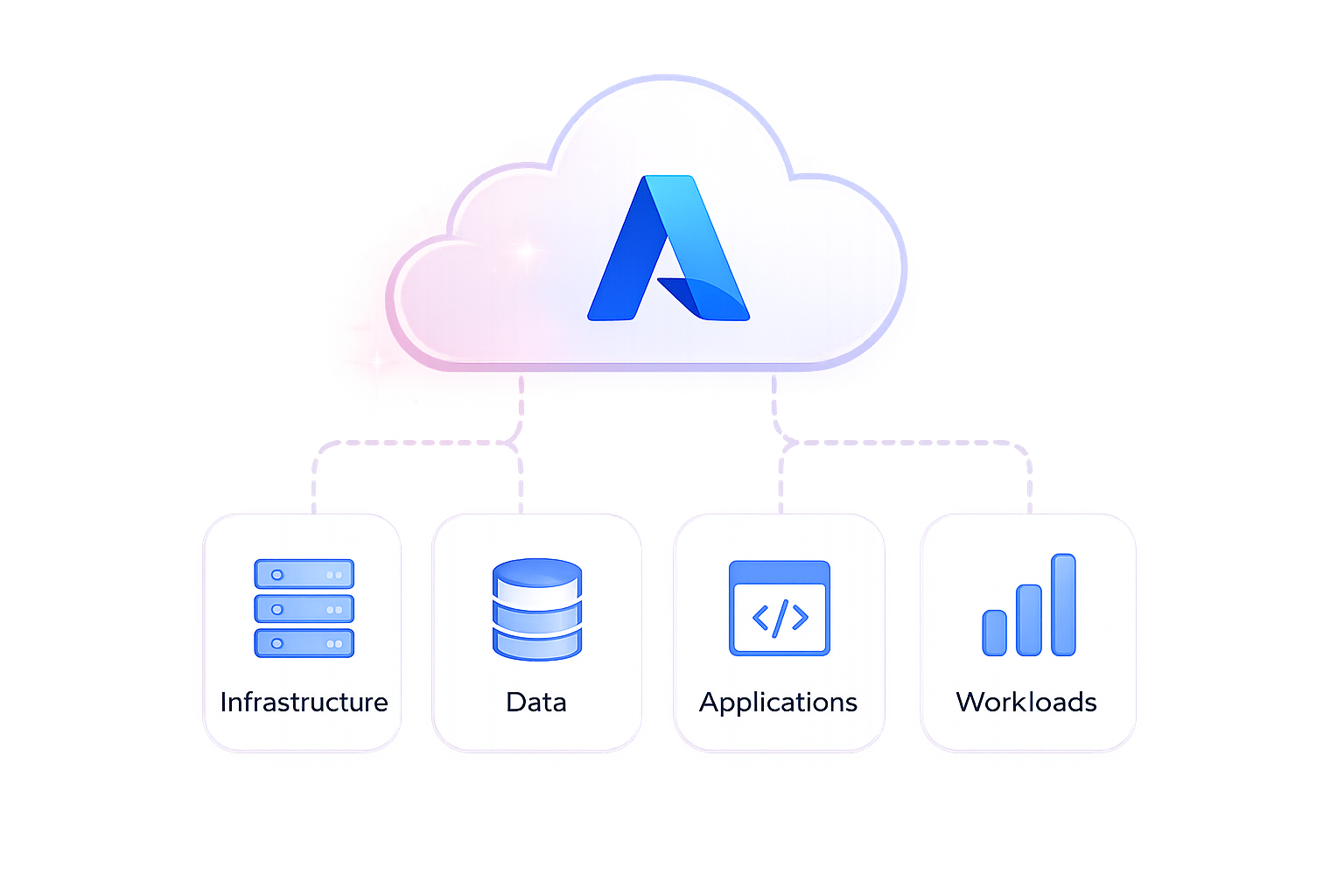
Azure cloud migration is moving your data, application, workloads, and infrastructure to Microsoft Azure securely and efficiently.

UP TO 30% COST REDUCTION

Move from complexity
to cloud agility

Whether you're moving from on-premises or another cloud, Azure helps you reduce costs, improve performance, and unblock innovation scale.

Azure Migration Diagram

When you migrate to the Azure cloud with the right partner, you gain:

Elastic scalability

Pay for what you use, expand when you need it

Built-in-disaster recovery

Geo-redundant backups and business continuity

Enterprise-grade security

Advanced security and compliance built-in.

Access to azure AI & analytics

Unlock Powerful insights and intelligent apps.

Reduced infrastructure costs

Lower hardware dependency and long-term savings.

Faster Deployment & agility

Deploy, scale, and innovate faster.

RESULTS TO GET

What You Actually Get with Business Central

See the real business outcomes companies achieve after implementing Microsoft Dynamics 365 Business Central. From better financial control to scalable operations, every improvement delivers measurable value.

Real-Time Financial Visibility

Close your books faster, track cash flow in real time, and make confident financial decisions with complete visibility.

Automated Workflows
Automated Workflows

Reduce manual work, eliminate repetitive tasks, and improve productivity across every department.

Accurate Inventory Control

Maintain optimal stock levels, prevent shortages, and improve order fulfillment with real-time inventory tracking.

Integrated Reporting

Access one source of truth with real-time dashboards and reports across finance, sales, inventory, and operations.

Scalable Platform
Scalable Platform

Grow your business without replacing your ERP by adding users, modules, and processes as you expand.

Lower Total Cost of Ownership

Reduce infrastructure costs with a cloud-based platform that requires less maintenance and predictable monthly expenses.

BEST PRACTICES

Microsoft Dynamics 365 Business Central Best Practices

Here's what makes successful Business Central implementations stand out from the challenging ones:

Start with Clear Business Requirements

Define your business goals, workflows, and challenges before configuring Business Central to avoid costly changes later.

Keep Customizations Minimal

Use standard Business Central features wherever possible and customize only when it creates real business value.

Prioritize Clean Data Migration

Clean and validate your business data before migration to ensure accurate reporting and reliable system performance.

Engage Users Early
Engage Users Early

Involve key users throughout the implementation to increase adoption, reduce resistance, and gather valuable feedback.

Train Teams by Their Roles

Provide role-based training so every department learns only the tools and workflows they use every day.

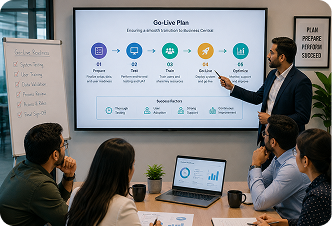
Plan a Smooth Go-Live

Validate the system through testing and phased deployment before full rollout to minimize business disruption.

OUR SERVICES

Our Microsoft Dynamics 365 Business Central Services

Business Central Implementation Services

We deliver end-to-end Business Central implementation, from discovery and planning to configuration, secure data migration, and go-live. Every solution is tailored to your business for a smooth and successful deployment.

Microsoft Dynamics 365 Business Central Consultant

Our certified consultants combine technical expertise with real-world industry experience. We help you optimize processes, reduce implementation risks, and ensure Business Central delivers measurable business value.

Business Central Implementation Strategy

A successful ERP project starts with the right strategy. We define clear objectives, build a practical implementation roadmap, and execute every phase on time and within budget.

Business Central Implementation Method

Our proven implementation framework ensures every project is delivered with minimal risk. Through phased deployment, continuous testing, and regular stakeholder reviews, we keep your implementation on track from start to finish.

Data Migration & Integration

We securely migrate your business data and connect Business Central with Microsoft 365, Power BI, and third-party applications. This creates a unified system that keeps your data accurate, accessible, and connected.

Training & User Adoption

Successful ERP adoption starts with confident users. We provide role-based training and hands-on guidance to help your teams quickly adapt and get the most from Business Central from day one.

Managed Support & Optimization

Our support doesn't end after go-live. We provide ongoing technical support, performance optimization, system enhancements, and continuous improvements to keep your Business Central environment running at its best.

WHY RIVIRA SYSTEMS

What Makes Rivira Systems a Leading Azure Cloud Migration Company

Microsoft-aligned consultants with real cross-industry delivery history
Migration strategies tailored to your business, not just a generic Azure cloud migration template
End-to-end service from discovery through long-term post-migration support
Proactive cost governance — Azure bills optimized from the start
Dedicated Azure cloud migration support so issues are resolved, not just logged
Rivira Systems Collaboration
OUR APPROACH

Why Growing Businesses Choose Rivira Systems

Rivira Systems delivers full-cycle Business Central Implementation Services, not a license handoff. Our approach covers:

ERP strategy and Business Central implementation strategy planning

Fit-gap analysis and need gathering

Data migration and system integration

Configuration, customisation and testing

User training and change management

Long-term managed support after go-live

We've supported businesses in manufacturing, retail, finance and distribution. We help them implement Business Central on time and within budget. Our teams ensure that users engage with it daily.

HOW WE WORK

Our Azure Migration Process

Business outcomes that reduce costs, improve performance,
and prepare your infrastructure for future growth.

1

Discovery

Business goals, current environment audit and stakeholder alignment.

2

Assessment

Workload inventory, dependency mapping, risk identification.

3

Migration Planning

Architecture design, security model, wave planning and rollback strategy.

4

Execution

Phased migration with testing at each wave before cutover.

5

Validation

Performance benchmarking, data integrity checks, user acceptance testing.

6

Go-Live

Controlled cutover with dedicated hypercare support on day one.

7

Ongoing Support

Performance optimization, cost governance and managed services post-migration.

Cost Transparency

Azure Cloud Migration Services Cost:
What to Expect

Cloud migration to Azure doesn’t have a set cost. If a provider gives a flat price without checking your
environment, be cautious. Actual azure migration services cost depends on key factors:

Volume and complexity of workloads being migrated

Number of applications, databases and data sources involved

Level of re-platforming or modernization required

Post-migration support and managed services scope

Compliance and security configuration needs

Migration timeline and business continuity requirements

Rivira Systems provides a fully scoped, transparent quote after a free migration assessment. You know the total cost of the Azure consulting investment before the project starts. There are no hidden fees once work begins.

WHY RIVIRA SYSTEMS

What Makes Rivira Systems a Leading Azure Cloud Migration Company

Microsoft-aligned consultants with real cross-industry delivery history
Migration strategies tailored to your business, not just a generic Azure cloud migration template
End-to-end service from discovery through long-term post-migration support
Proactive cost governance — Azure bills optimized from the start
Dedicated Azure cloud migration support so issues are resolved, not just logged
Partner Collaboration Meeting
FAQ

Frequently Asked Questions

Cloud migration to Azure doesn't have a set cost. If a provider gives a flat price without checking your environment, be cautious. Actual azure migration services cost depends on key factors:

A complete Business Central Implementation covers requirements gathering, system configuration, data migration, integrations, user training, testing, go-live support and post-implementation managed services. Rivira Systems delivers all of this under one engagement.

The Business Central implementation timeframe varies. Setting up a simple small business usually requires 6 weeks. For a complex rollout with many entities, it can last from 6 to 12 months. Most mid-market projects go live within 3 to 5 months with careful planning.

A strong Business Central Consultant combines Microsoft certification with real-world delivery experience. They know the technical side and the business impact. They also communicate in a way that keeps your team informed at every stage.

Yes. Business Central v28 (2026 Wave 1) includes a native Quality Management module. It features inspections, pass/fail templates and non-compliant lot blocking. You don't need any third-party add-ons for new SaaS environments.

Yes. Business Central manages GST (CGST/SGST/IGST) with high efficiency. It offers features like e-invoicing, IRN generation and automatic e-way bill creation. It also performs TDS calculations without manual input. It reconciles GSTR and manages multi-currency finance according to RBI rules.

Get Started With
Rivira Systems

Infrastructure into Agility. Agility into Advantage. Advantage into Growth.

We blend our deep Microsoft Dynamics 365 Business Central Consultant experience with a clear implementation strategy. This way, your project can progress confidently, not with confusion.